What is the Releaf Patient Dashboard, and how does it work?
Simply put, the Releaf Patient Dashboard is the area of the website that all patients gain access to once they register with Releaf. It's your personal hub for managing your medical cannabis treatment, with no mobile app download required.
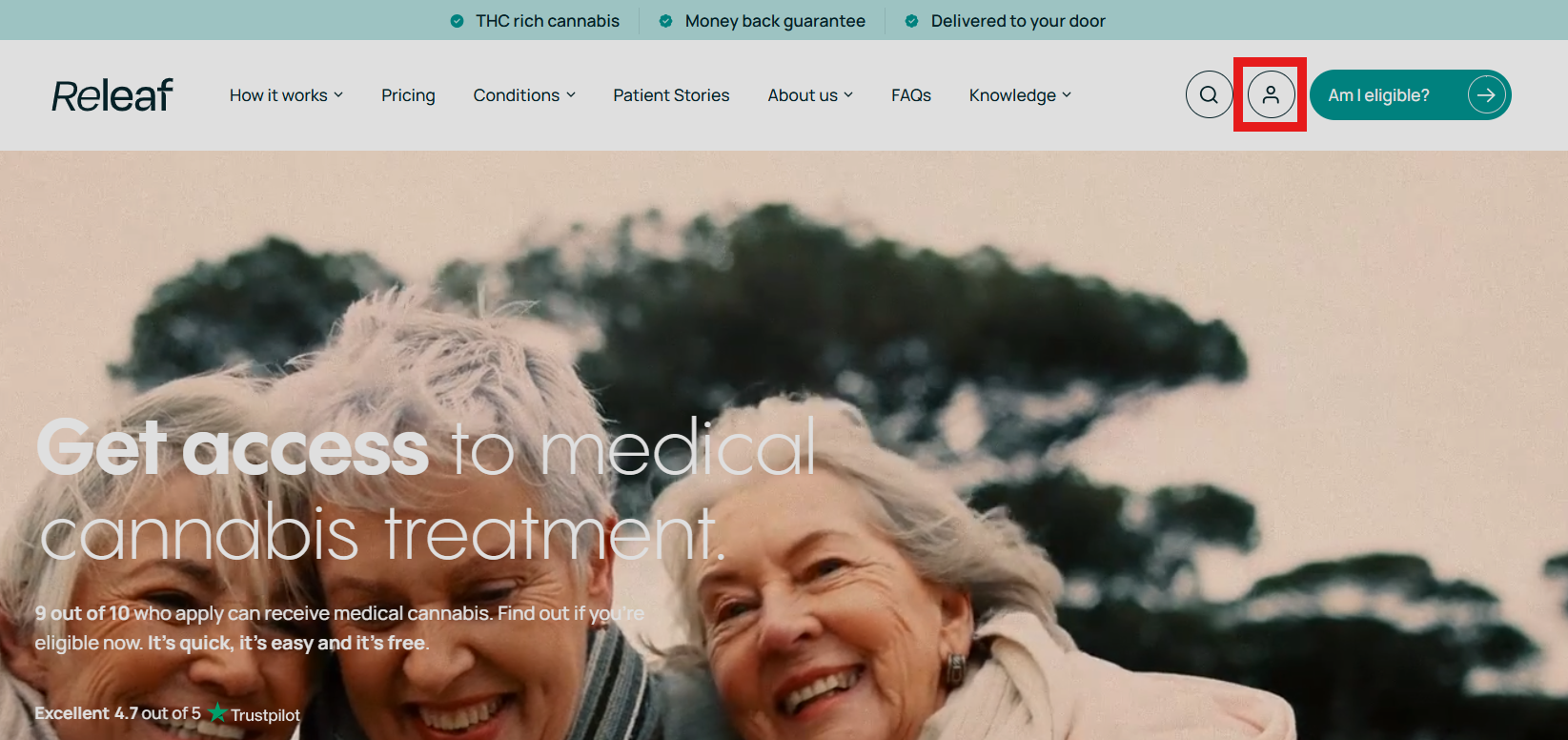
Click to enlarge image
To log into the Patient Dashboard:
- Head to the top-right corner of the Releaf homepage.
- Click the "Log in" button (highlighted in the picture above).
- Enter your email and password when prompted.
Once you're in, the Dashboard is divided into tabs that make managing your Releaf treatment a breeze and provide you with access to a range of tools and features designed to improve your overall experience.
They are all listed in the cascading menu, which runs down the left-hand side of the Patient Dashboard area. Let's have a closer look at each of these sections.
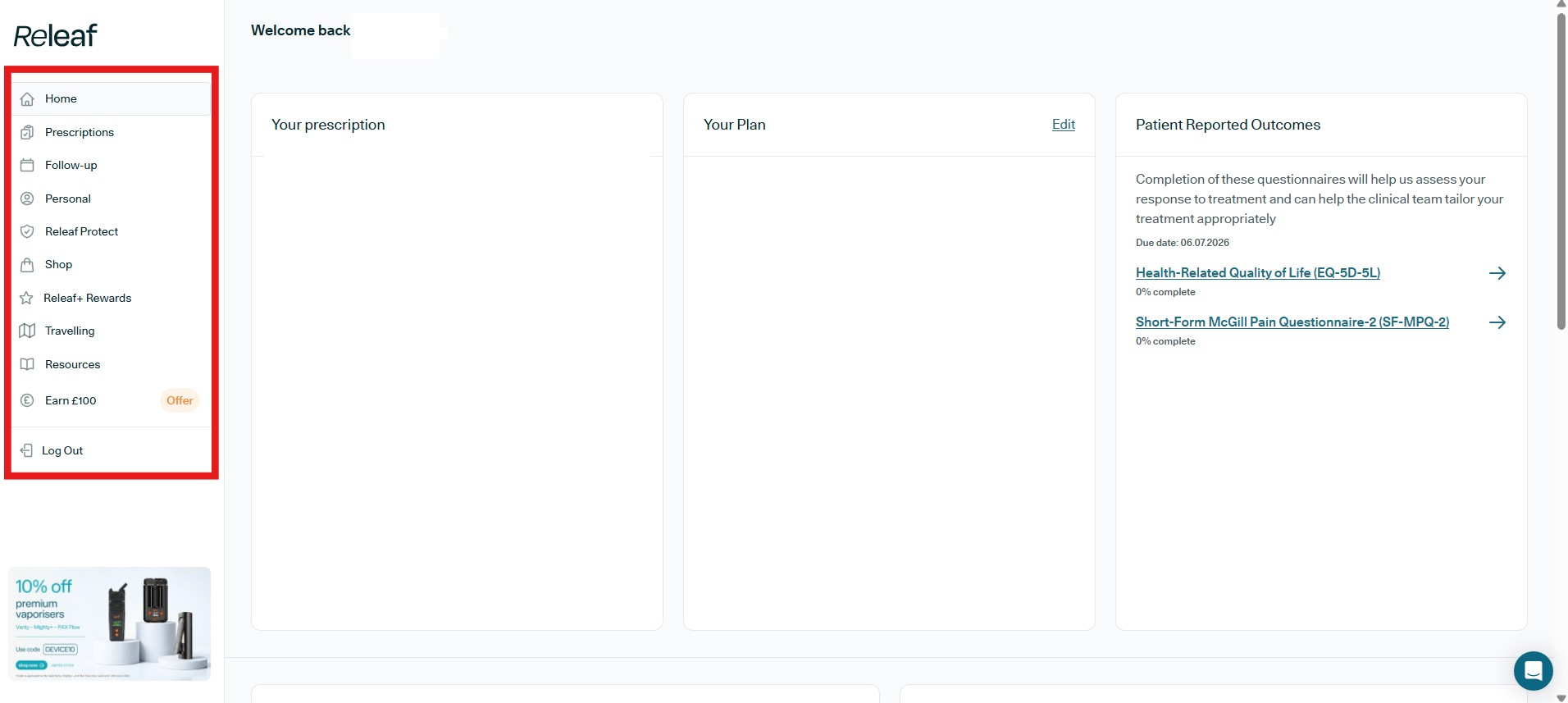
Click to enlarge image
What sections can you find in the Patient Dashboard?
Tab 1: Home
Click to enlarge image
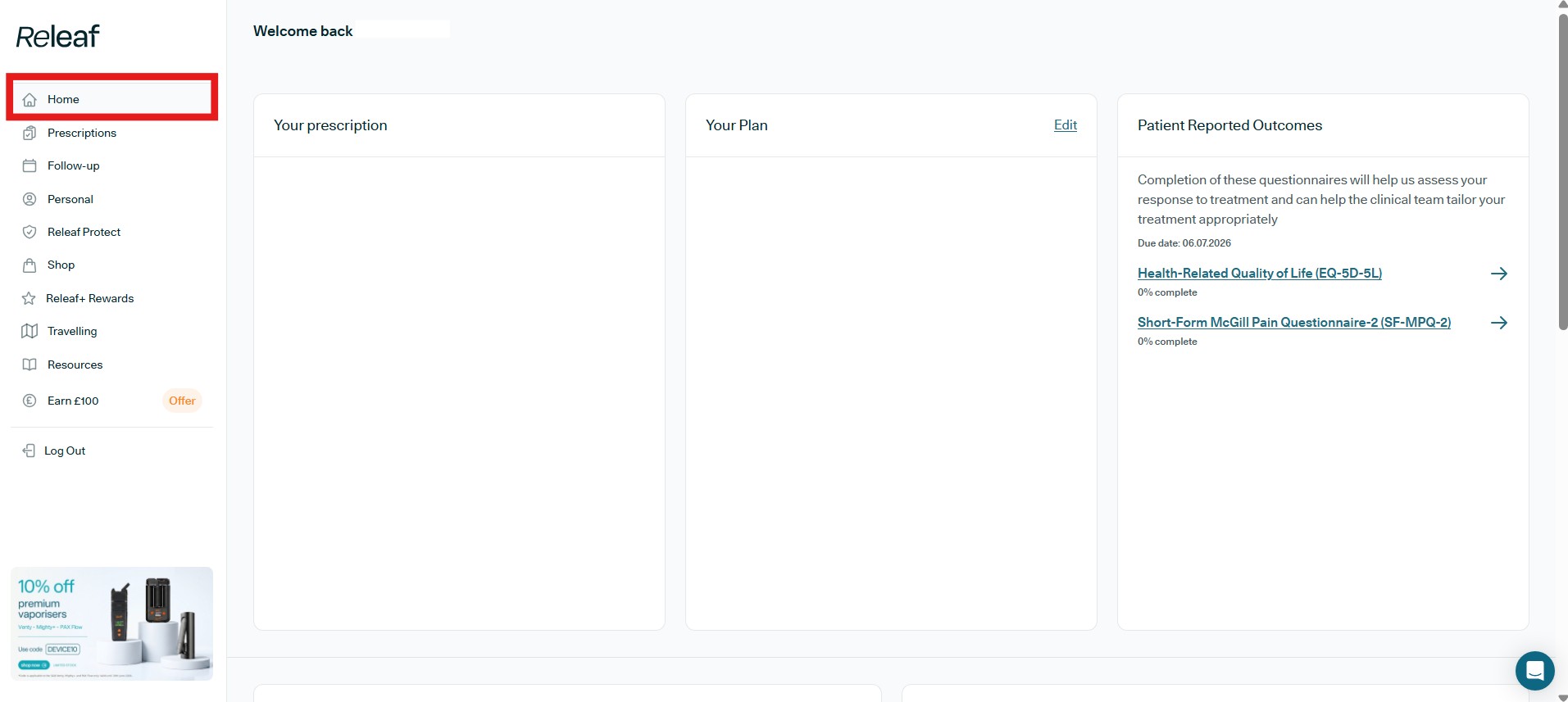
When you first log in, you will land directly on the Patient Dashboard homepage, which is the first tab listed on the left-hand cascading menu.
Click to enlarge image
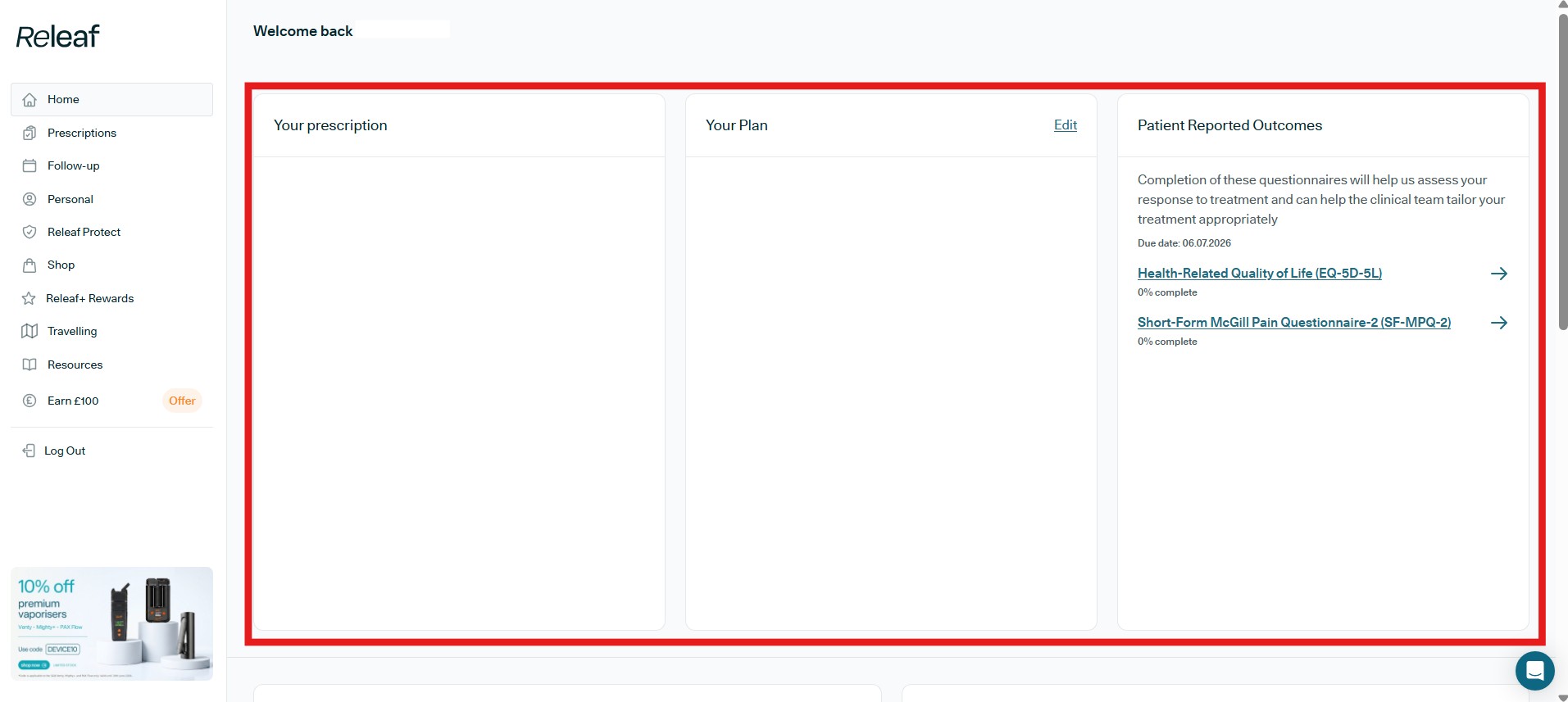
Here you will find your key patient details at a glance.
In the 'Your prescription' section, you’ll see the current medication/s you have been prescribed. The 'Your plan' section shows your subscription details (Releaf+ or Pay As You Go), like your next billing date and cost, with an option to edit as needed.
The 'Patient Reported Outcomes' section contains questionnaires (PROMs) that help our world-class clinical team assess how you're responding to your Releaf medical cannabis treatment plan, and adjust your care if this is needed. Completing them isn't compulsory, but it's very helpful for guiding your treatment. You'll see each questionnaire's due date and completion status, so just click any questionnaire to begin or continue filling it in.
Click to enlarge image
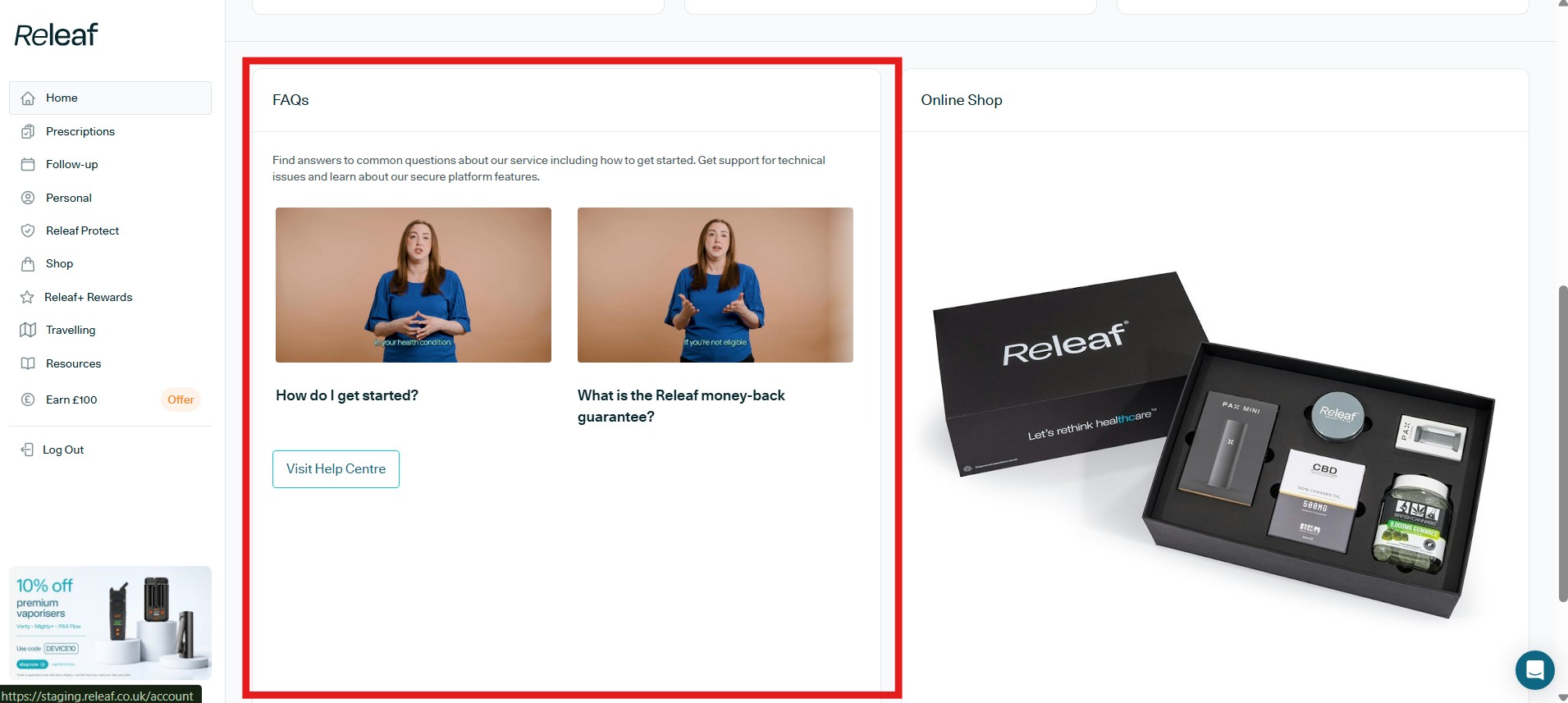
If you scroll down, you will see a 'FAQs' area on the left. Click here to be directed to our Help Centre, where you will find videos along with a full list of written FAQs split into easy to navigate categories that will answer any questions you might have about Releaf and your treatment, plus a huge list of written and answered FAQs.
Click to enlarge image
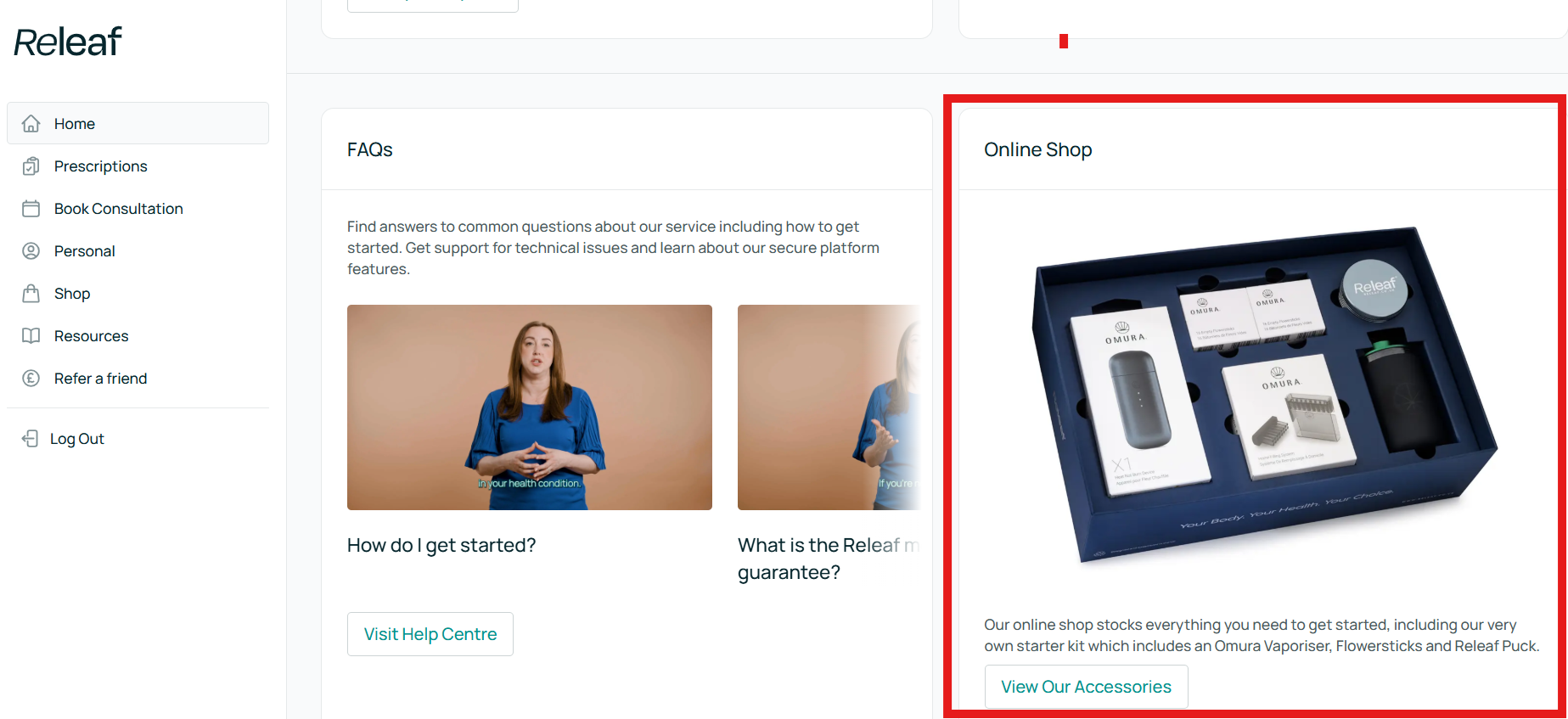
Next to the 'FAQs' section, you will see the 'Online Shop' section. Click on the 'View Our Accessories' button to access the Releaf shop, which offers carefully selected items to help make your cannabis-based treatment as effective, straightforward, and easy as possible.
Tab 2: Prescriptions
Click to enlarge image
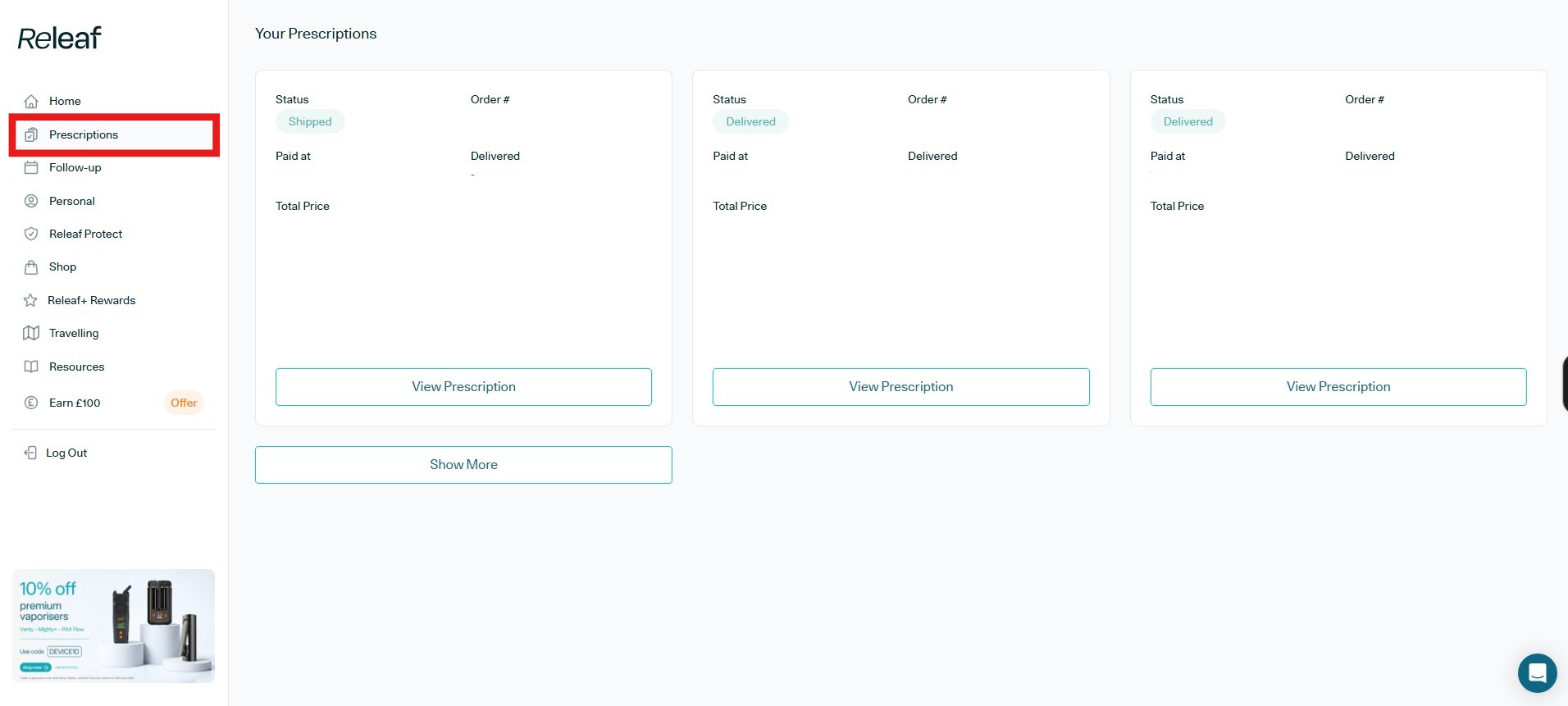
The second section of the cascading menu is the Prescriptions tab. In this section, you will find a list of all your present and past prescriptions, with the option to click the 'View Prescription' button for each to access a detailed view.
Underneath the 'View Prescription' button, you may see a 'Request Repeat' button, which allows you to request a repeat of the prescription in question.
Tab 3: Follow-up
Click to enlarge image
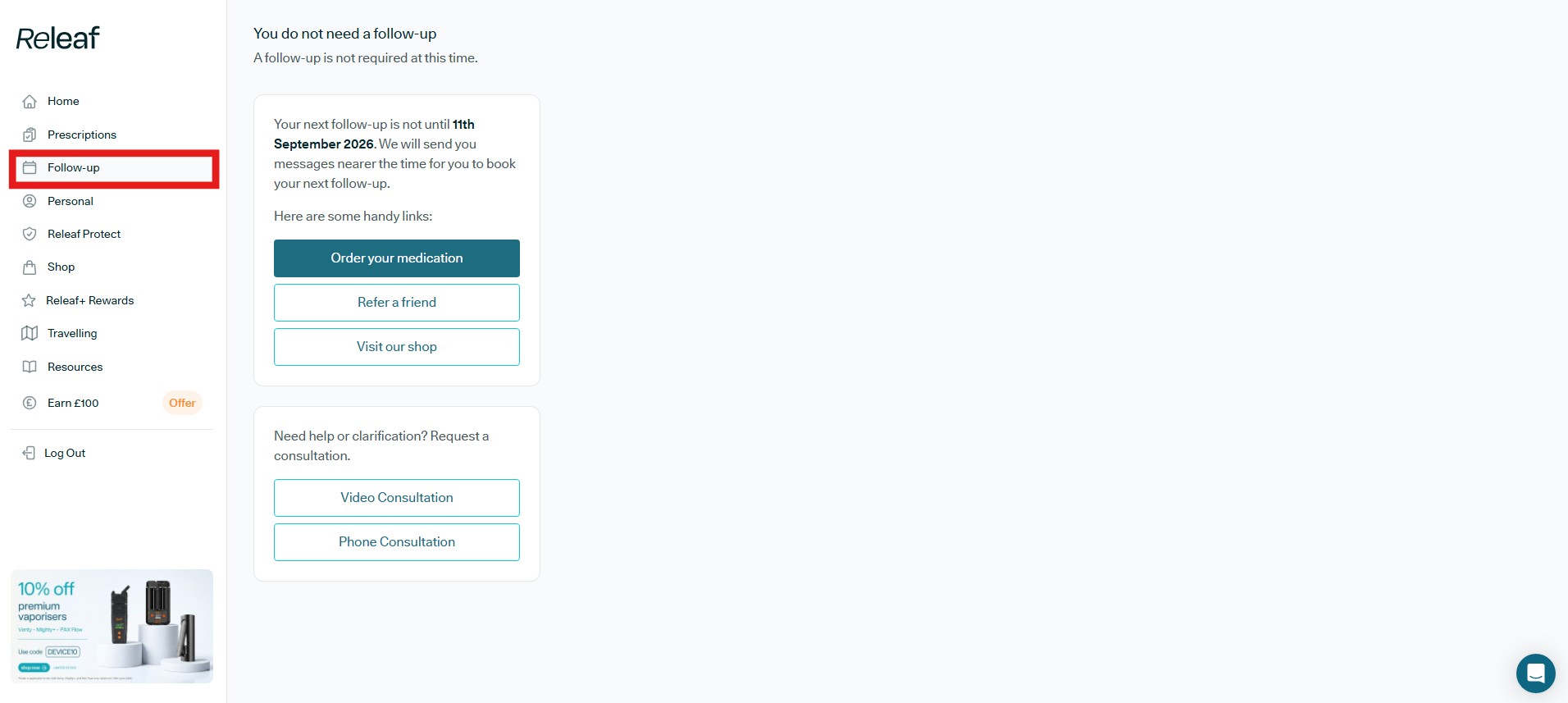
Next is the 'Follow-up' tab. Here is where you will find the date of your next scheduled follow-up consultation. To make life a little easier, we'll automatically send you messages nearer the time so you can book it when it's due.
Beneath this, you'll find a set of handy links that let you order your medication, refer a friend, or visit our shop directly from this page.
And at the bottom of this section, if you need any help or clarification before your next scheduled follow-up, you can request a consultation, choosing either a 'Video Consultation' or a 'Phone Consultation' to suit you.
Tab 4: Personal
Click to enlarge image
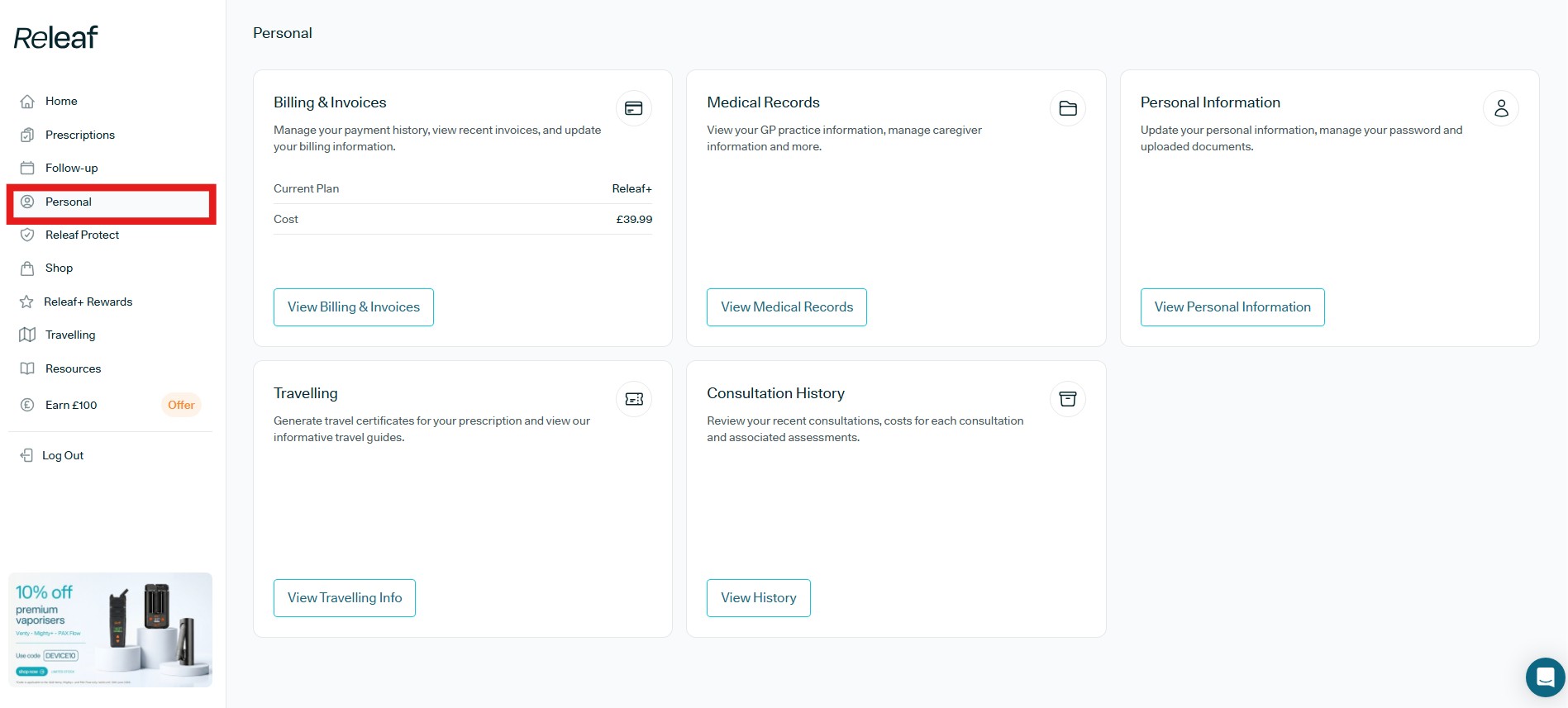
The fourth tab from the top of the cascading menu is 'Personal' - where you find five different subsections:
- Billing & Invoices: Where you can manage your payment history, view recent invoices, and update your billing information
- Medical Records: Where you can view your GP practice information, manage caregiver information, and more.
- Personal Information: Where you update your personal information, manage your password, and uploaded documents.
- Travelling: Where you can generate travel certificates for your prescription and view our informative travel guides.
- Consultation History: Where you can review your recent consultations, the costs for each consultation, and associated assessments.
Tab 5: Releaf Protect
Click to enlarge image
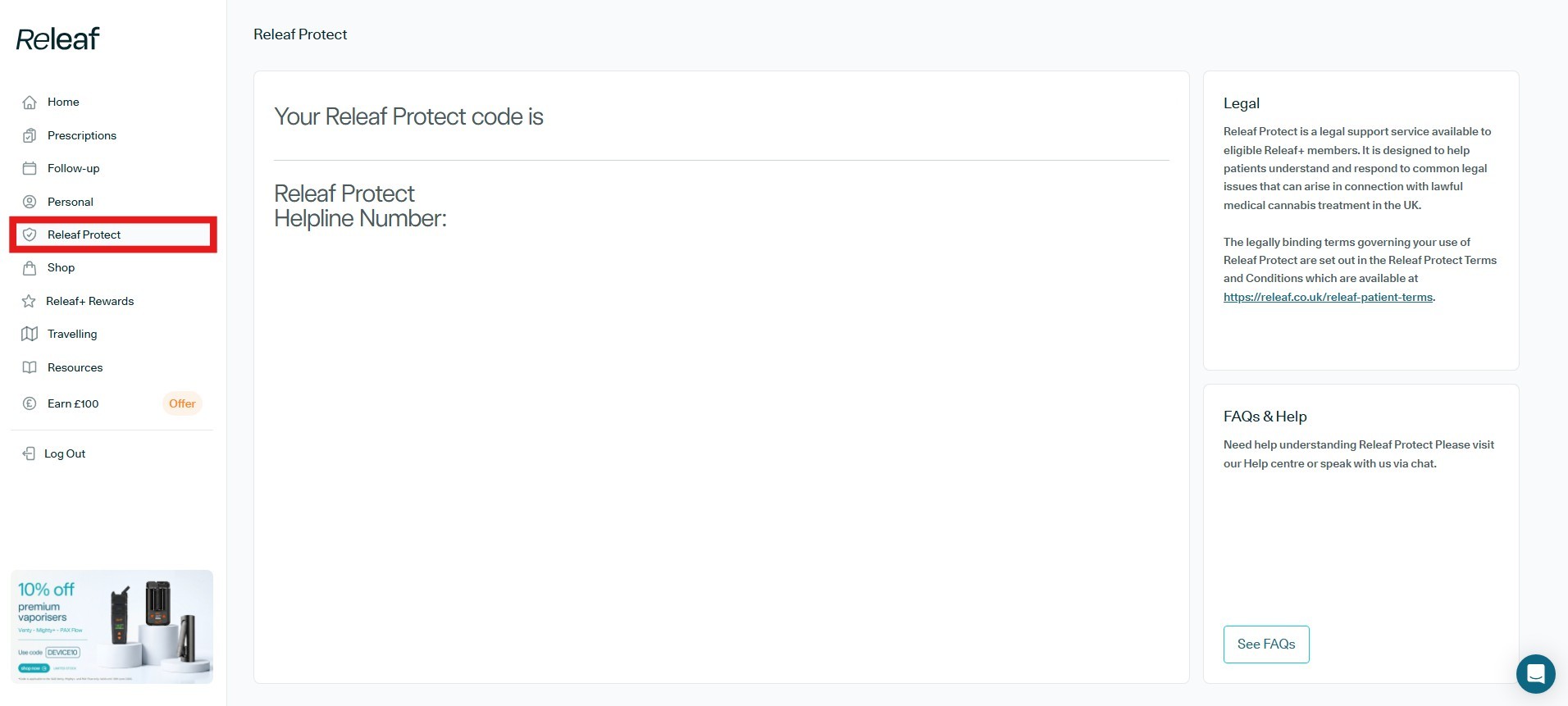
Releaf Protect is a 24/7 legal support hotline available to eligible Releaf+ members, designed to help patients understand and respond to common legal issues that can arise in connection with lawful medical cannabis treatment in the UK.
The guidance is provided in partnership with Irwin Mitchell, one of the UK's leading law firms with extensive experience in regulatory, employment, and public law. When you call the helpline, you'll be connected to their specialist legal team for clear, practical, situation-specific advice on your rights as a prescribed patient.
In this section, you'll find the Releaf Protect helpline number and your unique Releaf Protect code that you will need to provide when using the service.
On the right, the 'Legal' area sets out the terms governing your use of Releaf Protect, with a link to the full Releaf Protect Terms and Conditions. Beneath this, the 'FAQs & Help' area provides a 'See FAQs' button, directing you to our Help Centre if you need any further clarification, or you can speak with us via chat.
Tab 6: Shop
Click to enlarge image
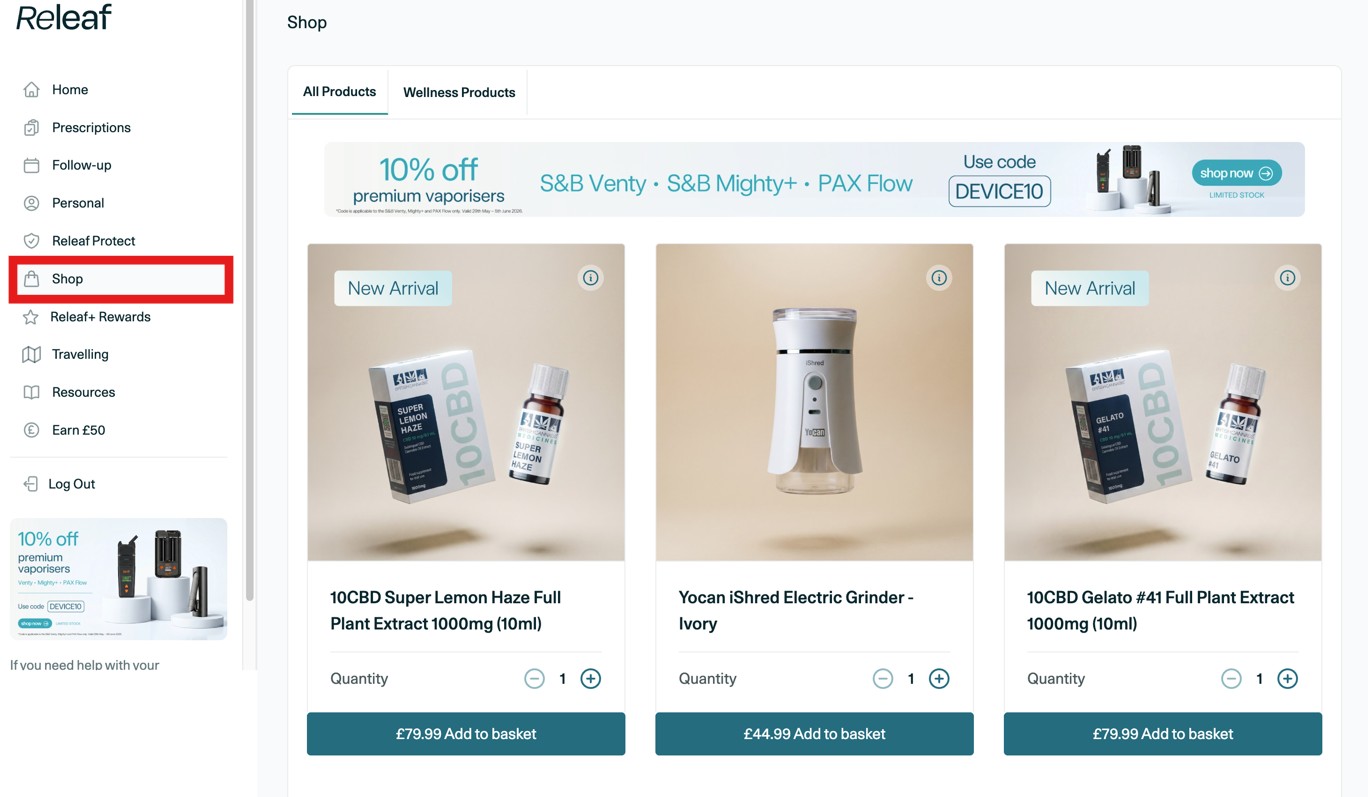
The 'Shop' tab is where you find our Patient Dashboard Shop.
This is where you can browse our thoughtfully assembled collection of products, each chosen to complement your Releaf medical cannabis treatment experience, including the brand new Releaf Starter Kits, available with either a PAX Mini or a Storz & Bickel Venty vaporiser. Each kit includes the vaporiser itself, a compatible accessory for preparing your medication, the Releaf Puck, and premium CBD products from BRITISH CANNABIS™.
We also stock a range of wellness products, including:
- DIRTEA functional mushroom gummies, super blends, and mushroom coffee
- Vaporisers and accessories from Storz & Bickel and PAX, including grinders, puck presses, dosing capsules, replacement valves, and maintenance kits
- A wide selection of CBD products from BRITISH CANNABIS™, such as full plant extract oils, gummies, capsules, patches, and rescue cream
- Flowersticks
You can also order a replacement Releaf medical cannabis card, should you need to.
Tab 7: Releaf+ Rewards
Click to enlarge image
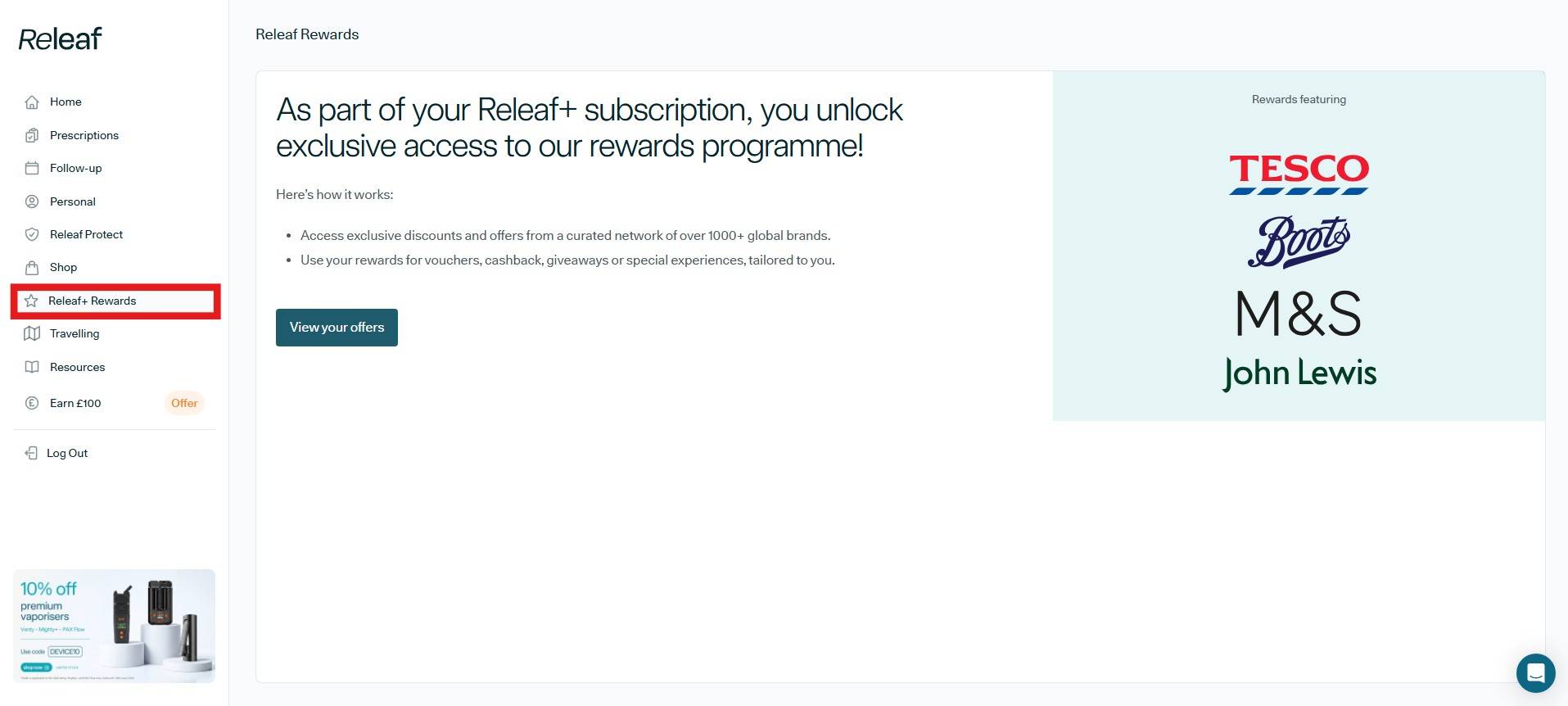
If you decide to become a Releaf+ patient (along with Releaf Protect) you also unlock exclusive access to our rewards programme, powered by Propello.
Through this programme, you can access exclusive discounts and offers from an amazing network of over 1,000 global brands. You can redeem your rewards as vouchers, cashback, giveaways, or special experiences.
To get started, click the 'View your offers' button to browse what's currently available.
Tab 8: Travelling
Click to enlarge image
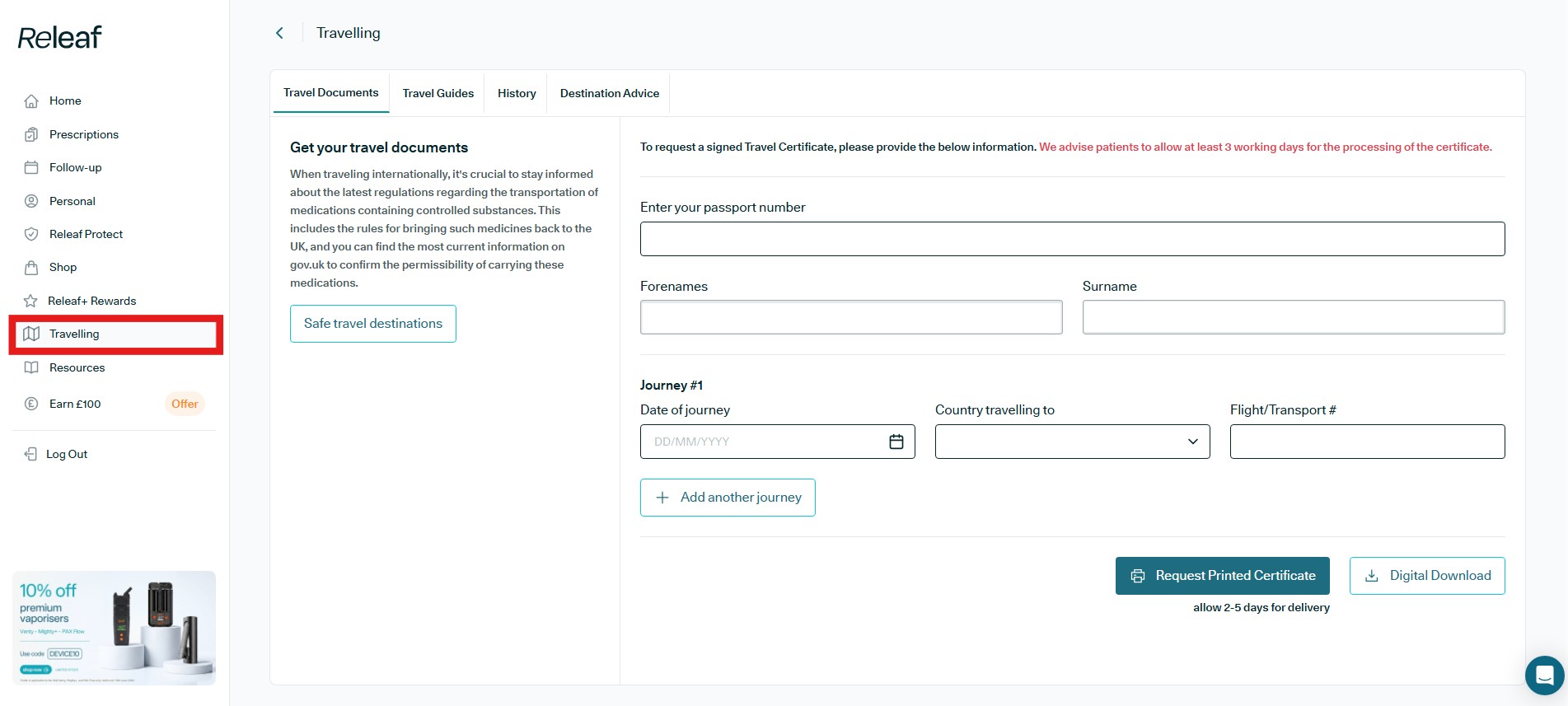
Next up is the Travelling tab. This is where you can request the documents you need to travel with your medication, along with finding guidance on doing so safely and legally.
When travelling internationally, it's important to stay informed about the latest regulations around transporting medications that contain controlled substances. This includes the rules for bringing such medicines back into the UK. The 'Safe travel destinations' button gives you a quick way to check this.
The Travelling tab is divided into main four areas:
- Travel Documents is where you request a signed Travel Certificate. Simply enter your passport number, forenames, and surname, then add your journey details (date of journey, country travelling to, and flight or transport number). You can add more than one journey using the 'Add another journey' button. Once complete, you can either 'Request Printed Certificate' or choose 'Digital Download'. We advise allowing at least 3 working days for the certificate to be processed, and 2 to 5 days for delivery of a printed copy. For more information, please see our "How to request a travel certificate for medical cannabis" blog.
- Travel Guides offers guidance to help you prepare for travelling with your medication.
- History lets you view your previously requested travel documents.
- Destination Advice provides information specific to where you're travelling.
Do you have a friend or family member who is interested in the therapeutic potential of medical cannabis?
This tab allows you to refer them to Releaf and earn £50 in Amazon Gift Cards for each successful referral. Simply share your unique referral link with them, and if they sign up and become a Releaf patient, you'll receive £50 in Amazon Gift Cards as a thank you from us.
Tab 9: Resources
Click to enlarge image
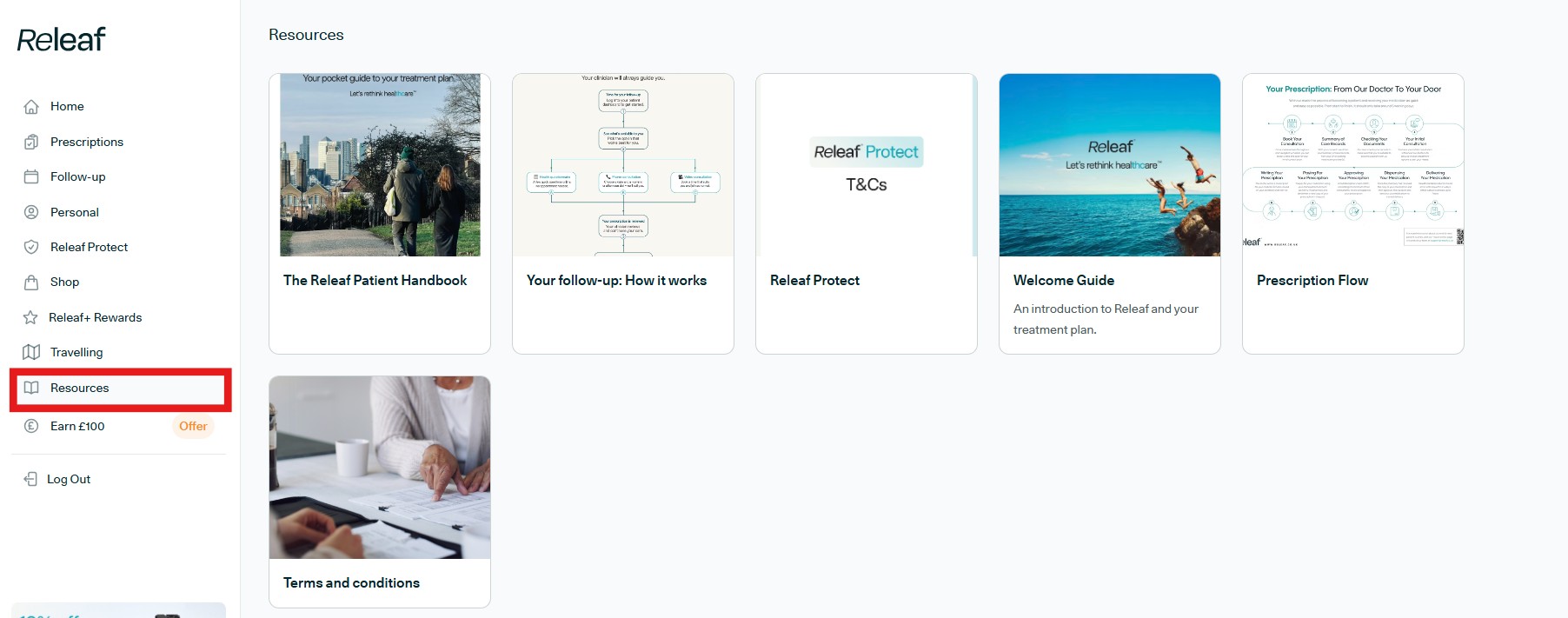
Resources tab. This is your go-to library for everything you might need to understand your treatment and get the most out of Releaf.
At the top, you'll find a collection of key guides and documents, including:
- The Releaf Patient Handbook: a pocket guide to your treatment plan
- Your follow-up: How it works, explaining what to expect from your follow-ups
- Releaf Protect T&Cs: the terms and conditions for the Releaf Protect service
- Welcome Guide: an introduction to Releaf and your treatment plan
- Prescription Flow: a visual walkthrough of how your prescription travels from our doctors to your door
- Terms and conditions: for Releaf prescribed patients
Click to enlarge image
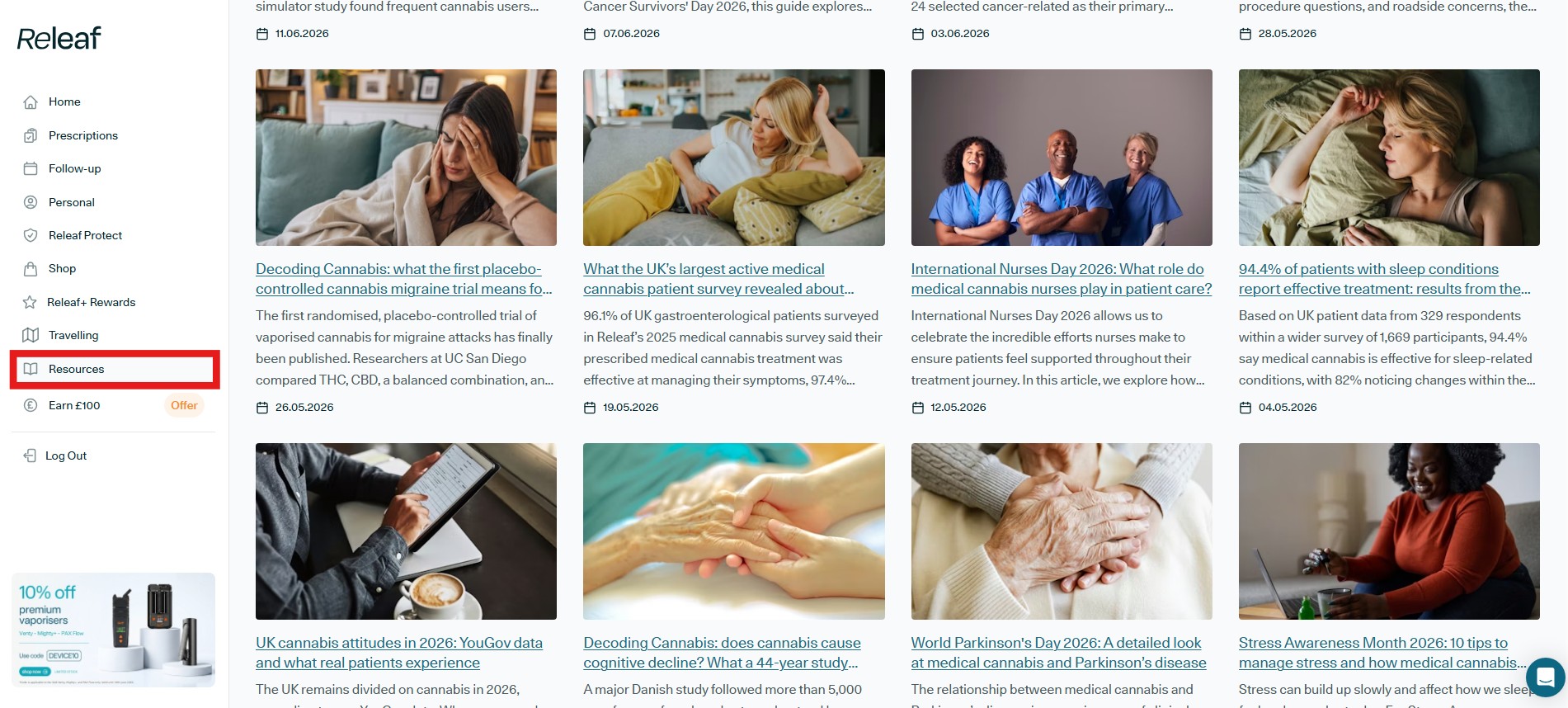
If you scroll down, you will find all of the most recent blog articles covering the newest research, patient survey results, industry news and practical advice for medical cannabis patients. We publish two to three new articles each week, so check back regularly to stay up to date with all the most important news and information on UK medical cannabis.
Tab 10: Earn £100 (Refer a Friend)
Click to enlarge image
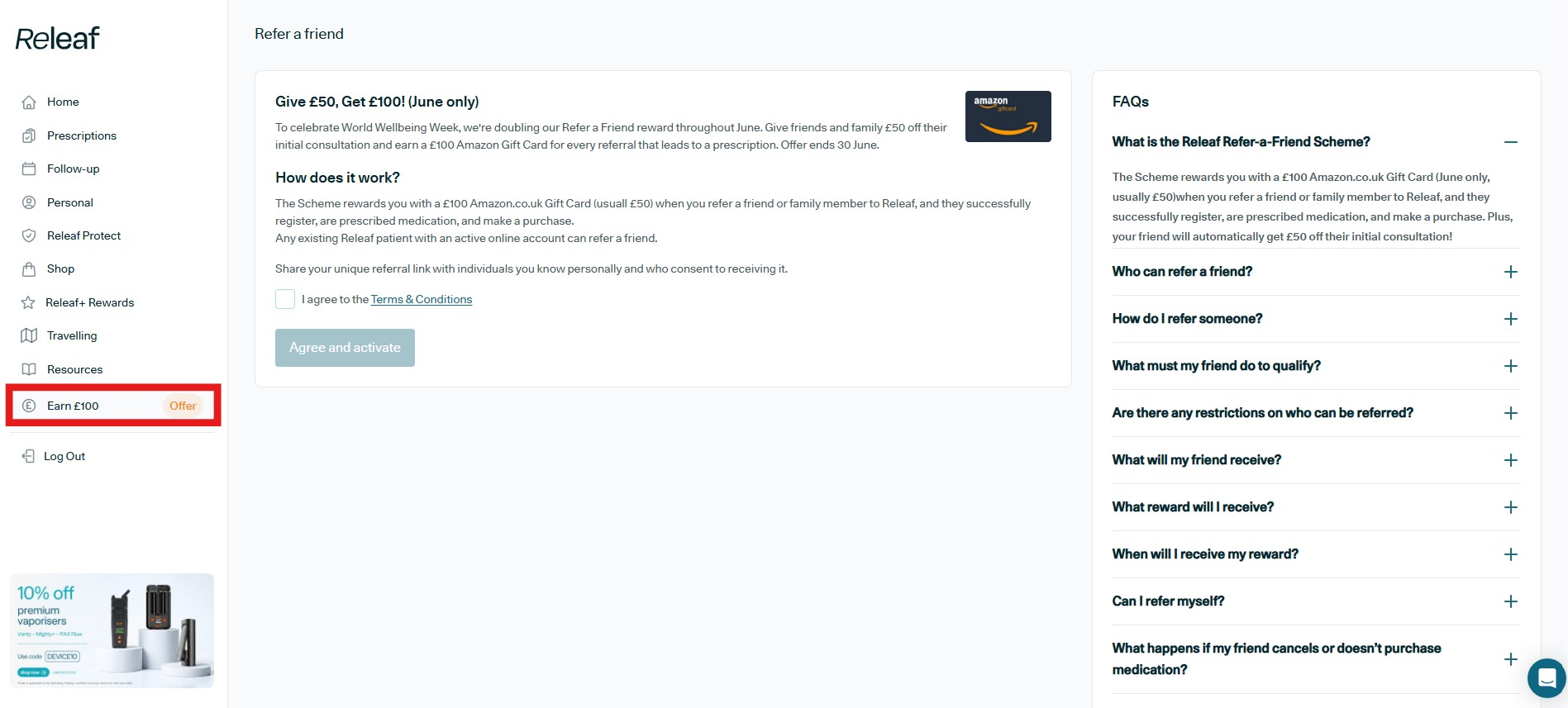
The tenth section is the Earn £100 tab, home to our 'Refer-a-Friend' scheme.
The scheme rewards you with a £50 Amazon.co.uk Gift Card when you refer a friend or family member to Releaf, provided they successfully register, are prescribed medication, and make a purchase. Your friend also gets 50% off their initial consultation. Any existing Releaf patient with an active online account can take part.
Please note that some periods (such as right now, June 2026, where the reward is doubled to £100) may feature special promotions, so it's always worth checking the current offer shown at the top of this section.
To get started, tick to agree to the Terms & Conditions, then click 'Agree and activate'. You'll then be able to share your unique referral link with people you know personally and who have consented to receiving it.
Tab 11: Logout
Click to enlarge image
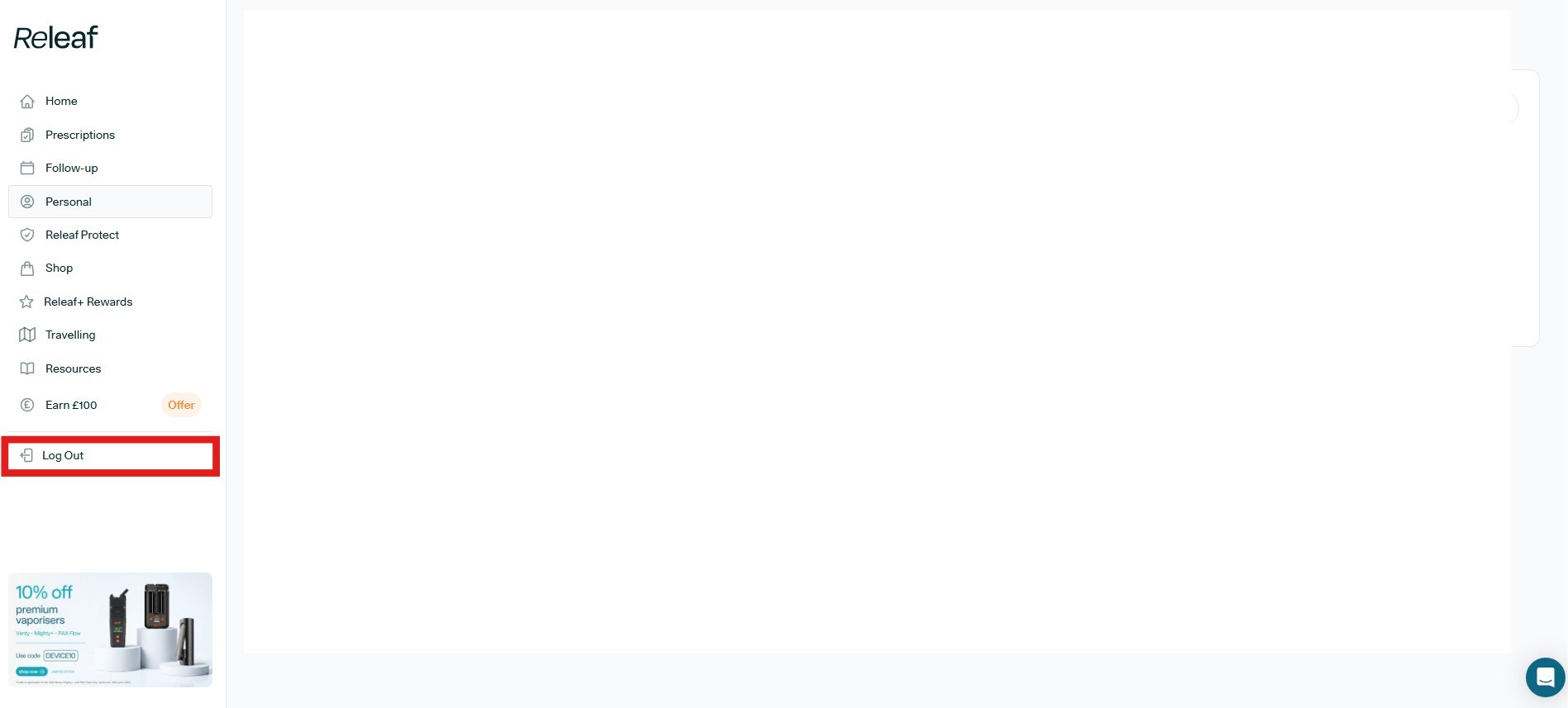
To log out of your Releaf Patient Dashboard, simply click the last tab on the Patient Dashboard cascading menu.
The Releaf Patient Dashboard, where you take control of your healthcare
So, there we have it. A full introduction to the brand new Releaf Patient Dashboard.
With these tools and features, managing your medical cannabis treatment with Releaf is easier than ever before. And with the added convenience of no mobile app download necessary, you can access all of this from any device that can connect to the internet.
Ready to get started?
The first step is to head to our medical cannabis eligibility checker. It takes 20 seconds to complete, and once done, you will have a full understanding of your eligibility for UK medical cannabis treatment with Releaf.
Releaf - Let's rethink healthcare